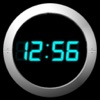
Alarm Night Clock / Music
Alarm Night Clock / Music has 74 ratings, averaging 4.2 stars, #9,269 of 60,998 in Utilities.
Description
Once the most popular Music Alarm Night Clock, now FREE! LIMITED TIME OFFER FOR ONLY ONE DAY. GET IT NOW WHEN IT's FREE!
New feature: sleep timer! Get to sleep and wake up to your music! With iOS 4, alarm works even when the app is not running! iPad support! High definition UI for iPhone4/iPhone5!
Best clock with all features you want: wake up to music from your iPod library, multiple alarms, vibration alarm, weekday/weekend repeat settings, digital/analog theme, customize color and time/date format, auto-dim, portrait/landscape mode, travel time zone mode. It even comes with a bonus flashlight!
** ALARM **
- Wake up to music from your iPod library
- Direct access to all your musics
- Sleep timer. Fall asleep with your favorite music!
- With iOS 4, alarm works even when the app is not running
- Multiple alarms
- Alarm in iPhone sleep and silent mode
- Weekday/weekend repeat settings
- Vibration alarm
- Non-stop alarm music
- Whole-screen touch snooze
- Customize snooze interval
- Customize alarm duration
- 7 built-in alarm sounds
** CLOCK **
- Whole-screen touch Snooze
- More than 16,000,000 colors
- High definition UI for iPhone4
- Portrait and landscape modes
- Screen auto dim, tap to see the time
- Four beautiful Digital/Analog themes
- Show/hide seconds, AM/PM
- Show/hide date, weekday
- 12/24 hour format
- Disable/enable auto-lock
- Optional Travel time zone mode
- Slide finger up/down to adjust brightness
- Compatible with iPhone 2.0, 2.1, 2.2.1 and 3.0
** FLASHLIGHT **
- Double tap to turn on
- Tap again to turn off
** HINTS **
- Slide your finger up/down to adjust brightness
- Set alarm duration to non-stop to enjoy music
- Enable autolock or auto-dim to save battery
- Recommended to keep iPhone on external power
** FAQ **
- Q: How to adjust the backlight (background glowing)?
A: Go to iPhone Settings->Brightness to adjust backlight.
- Q: Why can't I use iPod music as alarm?
A: To use iPod music as alarm, iPhone/iPod OS 3.0 is required. Make sure the iPhone/iPod Touch is in portrait mode when selecting music as alarm from iPod library.
- Q: Why doesn't alarm go off?
A: Like all alarm clocks in app store, the app must be running to use the alarm. Make sure the volume is not zero and repeat flag is set to everyday or any weekday you want. For version 1.5.1, make sure the "disable autolock" is on.
** CONTACT US **
- Email [email protected]
- Website http://www.hanajobs.com/mobile
Growth change in ratings
| Per | Growth | Growth % | Actual change | Measured over |
|---|---|---|---|---|
| day | Not enough history yet | |||
| week | 0 | — | 0 | 12.9 days |
| month | Not enough history yet | |||
| year | Not enough history yet | |||
How these figures are measured
Change in ratings, scaled to each window from the real gap between crawls. A window needs a full period of history before it reports anything.
Tracking since 09/05/2026. History accumulates as changes are observed — check back soon.
Alternatives to Alarm Night Clock / Music
| Name | Ratings | Rating |
|---|---|---|
 Midnight Alarm Clock
by Find App, Inc.
Midnight Alarm Clock
by Find App, Inc.
|
167 | 3.8 |
 Night Light LITE - Mood Light with Music, NightLight with sound sensor, Time Display & Alarm Clock
by Jan Boettcher
Night Light LITE - Mood Light with Music, NightLight with sound sensor, Time Display & Alarm Clock
by Jan Boettcher
|
15 | 3.7 |
 goodNite Lite - Alarm Clock Night Light
by Agemarks Technologies
goodNite Lite - Alarm Clock Night Light
by Agemarks Technologies
|
7 | 3.3 |
 Alarm Clock for Me - Wake Up!
by Mosaic S.r.l.
Alarm Clock for Me - Wake Up!
by Mosaic S.r.l.
|
123,693 | 4.6 |
 Alarm Clock HD
by Impala Studios B.V.
Alarm Clock HD
by Impala Studios B.V.
|
104,102 | 4.5 |
 Flashlight - Night Light Clock
by Tim O's Studios, LLC
Flashlight - Night Light Clock
by Tim O's Studios, LLC
|
98,811 | 4.9 |
 Loud Alarm Clock – the LOUDEST
by Jason Tongbai
Loud Alarm Clock – the LOUDEST
by Jason Tongbai
|
39,052 | 4.8 |
 Alarm Clock - Wake up Music
by Impala Studios B.V.
Alarm Clock - Wake up Music
by Impala Studios B.V.
|
35,742 | 4.6 |
 The Clocks: Alarm, World Clock
by Meanterm Inc.
The Clocks: Alarm, World Clock
by Meanterm Inc.
|
21,548 | 4.5 |
 Alarm Clock App: myAlarm Clock
by APPMIND - SOFTWARE TECHNOLOGIES LDA
Alarm Clock App: myAlarm Clock
by APPMIND - SOFTWARE TECHNOLOGIES LDA
|
14,785 | 4.6 |