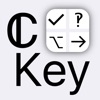
ℂKey - Customisable Keyboard
by Jamie Froggatt more by this developer →
#249,668 of 719,896 by ratings on Apple · #19,588 of 60,382 in Utilities
First seen by this census 09/05/2026 — the store does not publish a creation date
Last updated 12/21/2016
Tracked since 09/05/2026
Compare with another extension
Category: Utilities
Description
Build your own keyboard - you choose the keys!
Great for maths & science work, fans of more obscure keyboard layouts, or just better expressing yourself.
Scroll down for an overview of the premade layouts and a detailed feature breakdown.
NOTES
• Add the keyboard by navigating to Settings -> General -> Keyboard -> Keyboards -> Add New Keyboard…
• Unicode characters may not display correctly in some fonts.
• Check out the subreddit at reddit.com/r/ckey/
OVERVIEW
• Add keys to your keyboard, which can type any text of any length.
• Organise related keys into multiple pages (‘panes’).
• Includes handy editing features and plenty of options.
• Built-in unicode character picker for finding new characters to add to your keyboard.
• Editable text view for trying out your keyboard designs.
DEFAULT LAYOUTS
• QWERTY, Dvorak, Dvorak Left Handed
- Layouts inspired by the originals, with an original collection of symbols.
- Use a reduced number of keys to accommodate smaller screens.
• Symbols: contains some more rarely used symbols not present on the standard layouts.
• Maths: a layout designed for general maths, with digits, pi & infinity, and a wide set of operations.
• Formal Languages: an example of a more complex, specialist layout.
• Superscript & Subscript
• x/y: all unicode fractions.
FEATURES
Keyboard:
• Your keys - the main content of the keyboard.
• Multiple panes, to organise related keys.
• A space key.
• Control keys: backspace, keyboard picker, dismiss, return.
• Alternate key forms.
- Hold a key to type it's alt form.
- Use the alt key to temporarily switch the forms around.
- Alternate forms could be capital letters, inverse operations, or something completely different.
• Swipe left on the pane list to give your keys more room in longer typing sessions.
- Swipe in from the left edge to bring the list back.
App:
• Edit panes and keys in a view resembling the keyboard itself.
- Tap a key to change what it types:
+ Keys can type any number of any unicode characters, multiline text supported.
+ Optionally use a custom keycap, instead of showing the key's output.
+ Edit the alt mode version of the key by tapping with alt mode enabled.
- Hold a key to bring up the edit menu:
+ Edit [with 1 selected] - bring up a larger version of the key editor.
+ Swap [with 2 selected] - switch the positions of two keys.
+ Gather [with >1 selected] - collect the selected keys at one spot.
+ Remove alt - remove the custom alt state, making the key match its normal state in alt mode.
+ Duplicate - quickly clone a key.
+ Cut, copy, and paste - use their established meanings (the pasteboard is shared between panes).
+ Delete - deletes a key.
+ Insert - inserts a key at the spot of the current selection.
- Enter edit mode for serious changes:
+ Drag (before selecting anything) to reorder.
+ Tap keys to select/deselect them, then hold one to bring up the edit menu and perform a batch change.
- Hold the + button to add a batch of keys, by splitting text into its individual characters (or unicode scalars).
- Set the number of rows and columns in each pane by tapping the pane editor's title.
• The unicode character map allows you to add a character to a key directly, or copy one to the clipboard.
- Enter a search, or jump to a common region or known unicode codepoint.
- Hold a character to view details.
• Editable text view, for checking out how characters look at different font sizes and weight, or just testing your latest keyboard design.
- Switch through iOS keyboard types.
- Set the keyboard's return key type.
- View the keyboard in light & dark variations.
- Set text font, alignment, and size.
• Export individual panes, or your whole keyboard, for sharing or backup.
- Creates a .ckey file (uses .plist format).
- Use iOS's ‘Open In…’ feature to load the file back into the app.
• Additional options to customise the look and feel of the keyboard.
Alternatives to ℂKey - Customisable Keyboard
| Name | Ratings | Rating | |
|---|---|---|---|
 GIF Keyboard
by Tenor, Inc.
GIF Keyboard
by Tenor, Inc.
|
1,419,276 | 4.7 | compare |
 Facemoji AI Emoji Keyboard
by NEXILEAP PRIVATE LIMITED
Facemoji AI Emoji Keyboard
by NEXILEAP PRIVATE LIMITED
|
478,784 | 4.7 | compare |
 Fonts Art: Cool Keyboard Maker
by AIBY Incorporated
Fonts Art: Cool Keyboard Maker
by AIBY Incorporated
|
469,266 | 4.6 | compare |
 Kika Keyboard: Custom Themes
by Beijing Xinmeihutong Technology Co., Ltd.
Kika Keyboard: Custom Themes
by Beijing Xinmeihutong Technology Co., Ltd.
|
322,800 | 4.6 | compare |
 Font Keyboard - Cool Fonts
by Pro App Company Limited
Font Keyboard - Cool Fonts
by Pro App Company Limited
|
195,244 | 4.6 | compare |
 Font Keyboard - Kibik AI
by Cosmic Taps SL
Font Keyboard - Kibik AI
by Cosmic Taps SL
|
174,188 | 4.6 | compare |
 AutoPaste - Keyboard
by Sociaaal LLC
AutoPaste - Keyboard
by Sociaaal LLC
|
122,548 | 4.6 | compare |
 Microsoft SwiftKey AI Keyboard
by TouchType Ltd
Microsoft SwiftKey AI Keyboard
by TouchType Ltd
|
121,435 | 4.6 | compare |
 Auto Paste Keyboard
by Pro App Company Limited
Auto Paste Keyboard
by Pro App Company Limited
|
90,515 | 4.7 | compare |
 Better Font-s Cool Keyboard-s
by Daneco Ltd.
Better Font-s Cool Keyboard-s
by Daneco Ltd.
|
86,729 | 4.4 | compare |
Growth
Change in ratings, scaled to each window from the real gap between crawls. A window needs a full period of history before it reports anything.
| Per | Growth | Growth % | Actual change | Measured over |
|---|---|---|---|---|
| day | Not enough history yet | |||
| week | Not enough history yet | |||
| month | Not enough history yet | |||
| year | Not enough history yet | |||
History
Tracking since 09/05/2026. History accumulates as changes are observed — check back soon.