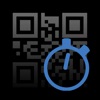
QR Stopwatch
by Ursin Tanner more by this developer →
#388,760 of 719,896 by ratings on Apple · #10,365 of 20,445 in Sports
First seen by this census 09/05/2026 — the store does not publish a creation date
Last updated 10/21/2018
Tracked since 09/05/2026
Compare with another extension
Category: Sports
Description
Use this clever app for the timekeeping of several people, starting at different times or as group. It works without a single click - just show it any QR code to start a new stopwatch!
HOW IT WORKS
1) SINGLE START: Use this clever app for the timekeeping of various persons, starting at different times. Simply hold the QR code in front of the scanner. The app will then automatically generate your name and a new individual stopwatch will be started. If you scan the code again, the timer stops. It’s also possible to resume the same watch again.
2) MASS START: If all participants are starting at the same time, then you should use the mass start mode. Start the stopwatch without any further adjustments and simply record the finishing time and the name of the runners when they reach the finish line.
EXAMPLES OF USE
- Reporting of working time.
- Timekeeping of sporting events.
- Report the students’ work time for special tasks.
-> NO CLICKS
Start the app and it will automatically take the time of all shown QR codes until you stop the scanner.
-> NO TYPING OF NAMES
The app automatically creates new items if a new QR code is shown. The name is whatever the QR code contains.
-> GET A RANKING
Choose the sort order: Would you like to know the fastest or slowest time? Decide if not-yet-stopped watches will be disqualified or stop all operating watches at once.
-> SAVE AUTOMATICALLY
Close the app and work on the same data the next day. All data is saved automatically.
-> EXPORT
Save and export rankings by email as .csv files.
-> MANUAL INTERVENTION
Use your finger to tap on a name to start a stopwatch manually. Tap again to stop it. As administrator you can also stop all running timers at the same time. If there is a person without QR code, it is possible to add a timer manually.
-> CREATE MULTIPLE QR CODES ONLINE AT http://www.teaching-apps.com
Simply type in all names/items at once and get multiple QR codes in a PDF, which you can then print and save. It couldn’t be any easier! Each QR code is embedded in a student ID card in a credit card size. These cards can be used for different apps and uses. Be sure to subscribe to the newsletter to receive updates on any new apps.
Alternatives to QR Stopwatch
| Name | Ratings | Rating | |
|---|---|---|---|
 Stopwatch for Track & Field
by German PARDO
Stopwatch for Track & Field
by German PARDO
|
337 | 4.6 | compare |
 Perfect Stopwatch
by Appcano LLC
Perfect Stopwatch
by Appcano LLC
|
194 | 4.6 | compare |
 Stopwatch%
by Tim O's Studios, LLC
Stopwatch%
by Tim O's Studios, LLC
|
155 | 4.1 | compare |
 Ultimate Stopwatch
by Hugh Mackworth
Ultimate Stopwatch
by Hugh Mackworth
|
67 | 4.7 | compare |
 StopWatch for Cross Country
by German PARDO
StopWatch for Cross Country
by German PARDO
|
56 | 4.2 | compare |
 Swim Stopwatch
by Eric Henninger
Swim Stopwatch
by Eric Henninger
|
30 | 4.6 | compare |
 Rowing Stroke Rate Stopwatch
by Peth Pty Ltd
Rowing Stroke Rate Stopwatch
by Peth Pty Ltd
|
17 | 3.9 | compare |
 StopWatch + Camera
by German PARDO
StopWatch + Camera
by German PARDO
|
17 | 4.4 | compare |
 StopWatch For Swimming
by German PARDO
StopWatch For Swimming
by German PARDO
|
16 | 4.5 | compare |
 Run Stopwatch
by Eric Henninger
Run Stopwatch
by Eric Henninger
|
10 | 4.3 | compare |
Growth
Change in ratings, scaled to each window from the real gap between crawls. A window needs a full period of history before it reports anything.
| Per | Growth | Growth % | Actual change | Measured over |
|---|---|---|---|---|
| day | Not enough history yet | |||
| week | Not enough history yet | |||
| month | Not enough history yet | |||
| year | Not enough history yet | |||
History
Tracking since 09/05/2026. History accumulates as changes are observed — check back soon.